Harry's Editor SOP
Internal editing standards for StudioHawk shortform content. Optimised for volume and performance — 25–50 videos per week, 30–60 seconds each. This is not a slow, cinematic workflow. Four editing styles cover everything we ship — pick the one that matches the format and follow the rules inside.
1 Edit 1 — Full first pass
→
2 Upload as
REVIEW – (Title)→
3 Tag @Talia + @Lawrence
→
4 Revisions if needed (V2)
Universal rules — apply to every style
The non-negotiables
These rules apply across Standard, OBS Audit, and OBS React. If something contradicts the per-style guidance below, the per-style rule wins.
Font
Helvena across all videos. CapCut outline preset (Aa).
Stroke
Black stroke, thickness
60. Always on every caption — never let captions sit without a stroke.Caption colours
Black,
White,
Yellow
#ffcc69
Caption casing
Lowercase throughout. No full stops. Exceptions: brand names, "AI", cities, and people names (Melbourne, Harry, ChatGPT).
Captions per line
One line only. Break for readability. Don't overcrowd the screen.
Overlay vs caption clash
If overlay text matches what Harry is saying, delay the caption until the overlay disappears. Never duplicate.
Swear words
"Shit" → keep. "Fucking" → remove the word in the caption but keep the cut.
Pacing
Cut dead air. Sometimes overlap audio so it flows quicker. Remove filler words. Keep energy tight. Avoid slow intros.
Brand spelling
StudioHawk · Kadi Luggage · Hawk Academy · Semrush · Ahrefs · Ecommerce · Ecomm · Ad · SEO · AI · LLMs · ChatGPT
Tone
Direct · authority-driven · confident · clear · not cringe · not overly TikTok-flashy. Educational + punchy + founder energy.
Setup screenshots
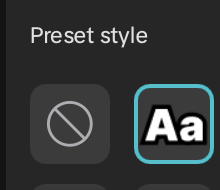
Aa preset
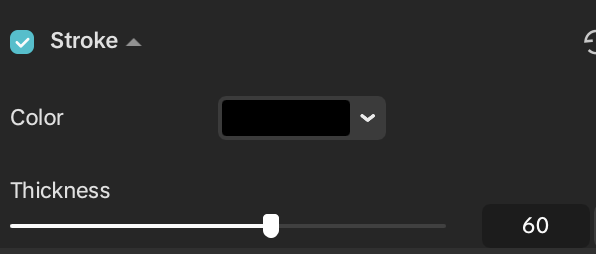
Stroke = 60
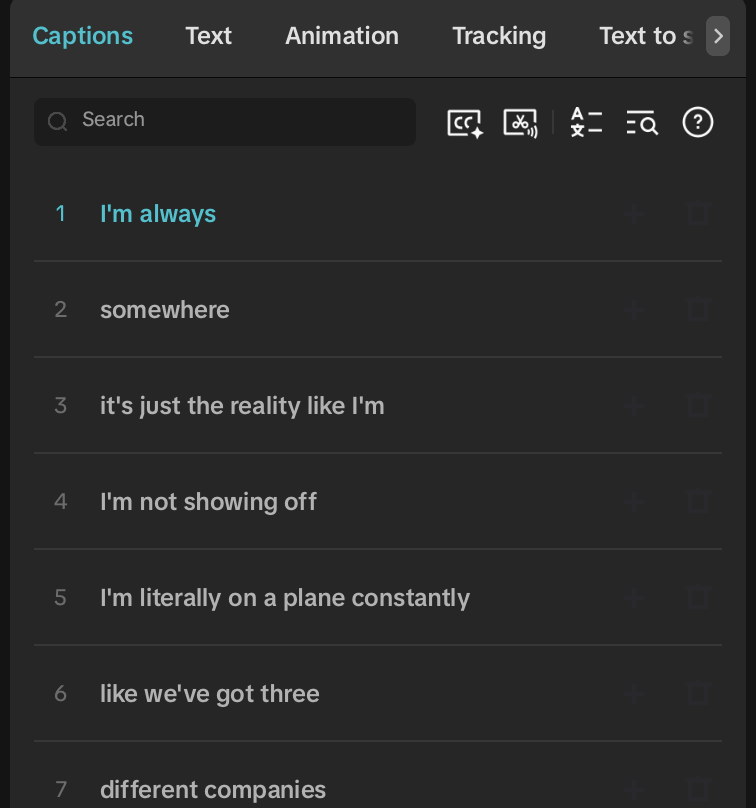
Caption breaks
Editing styles
1
Standard Default
Daily talking-head shortform — Harry to camera
▾
Standard Default
Daily talking-head shortform — Harry to camera
Use for
Daily Hawk content, talking-head hooks, opinion takes, AI/SEO commentary. The default — if it's not OBS Audit or OBS React, it's Standard.
Hook
Strong hook in first 1–3 seconds. Clean fast pacing. Visually engaging but not cluttered. Professional but native-to-platform feel.
Overlay text
Bold readable, curved corners, colours: black / white / yellow. Stay within safe zone.
- Stays on screen for the hook or first sentence
- Uppercase — treat it like a book title
- Position at top, not too high — readable, not blocking Harry's face (talk to Talia if it's covering him)
Caption position
Either in the standard lower position (per reference) or middle of frame if it doesn't cover Harry's face.
Movement
Subtle zooms, punch-ins, basic keyframe movement. Avoid over-editing.
B-roll
Any provided screen recordings, photos, AI b-roll, or team-supplied b-roll already attached to the Notion page.
Reference
→ @harryandersseo on Instagram for pacing + style benchmarks.
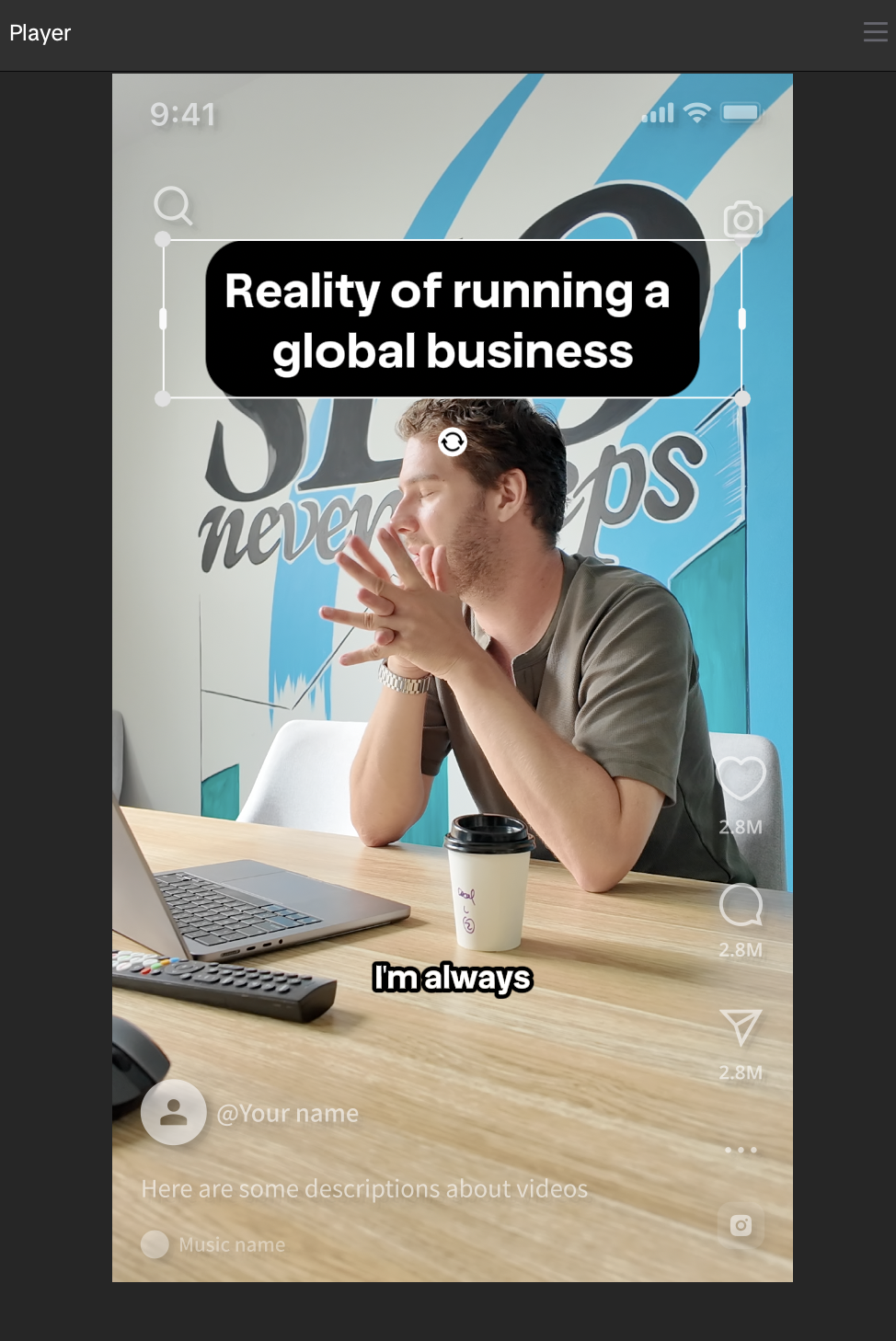
Overlay + caption
2
OBS Audit Screen-share
Site walkthroughs — Harry reacting to a real audit / tool on screen
▾
OBS Audit Screen-share
Site walkthroughs — Harry reacting to a real audit / tool on screen
Use for
SEO audits, GTmetrix / PageSpeed reviews, ecom site audits — anything where the screen-share is the focus and Harry's reacting live.
Layout
Audit / tool / website on top, Harry's webcam inset on bottom. Inset stays consistent through the whole video.
Overlay text
None. No intro overlay — keep it clean and simple.
Captions
Place captions when Harry is speaking, in the middle of the page. Harry's captions = white with black border.
Audio
Equalise sound where possible. If audio is unclear, use the original video link in Notion for reference.
Editor notes
If Harry says "editor note" out loud, that's guidance for you — cut it. Don't leave it in the final video.
Reference
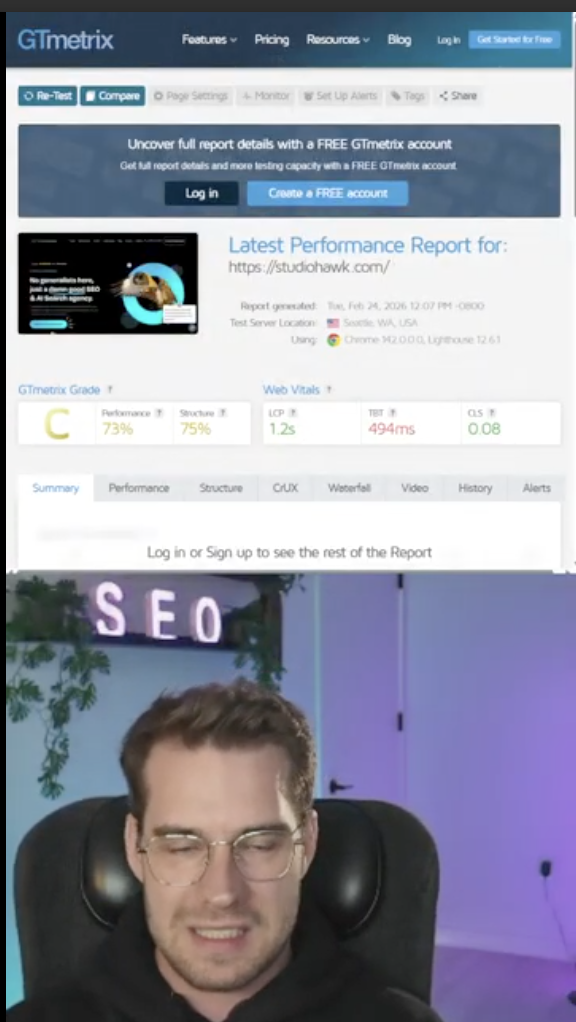
Layout
3
OBS React Reaction
Reacting to other people's videos — top/bottom split with caption rules
▾
OBS React Reaction
Reacting to other people's videos — top/bottom split with caption rules
Use for
Reaction content — Harry responding to other creators' videos, hot takes, viral clips.
Layout
Source video on top, Harry's webcam on bottom. Same proportions kept consistent across the video.
Caption rules
- If the top video has clear captions or strong audio: only caption Harry, in white. Don't duplicate.
- If the top video is hard to hear or has no captions: add yellow
#ffcc69captions to the top video using the original script from the Notion link. Harry's captions stay white. - If Harry speaks over the original speaker: top video captions yellow, Harry captions white. Both can appear at the same time if needed but must be clearly distinguishable.
Structure
- If Harry isn't speaking at the start, let the reaction video play from the beginning
- If there's a strong hook in the source video, move it to the front (and keep it in its natural position too)
- If a hook is specified in Notion, use that. Otherwise start from the beginning.
Pacing
Cut dead air. Equalise sound. Standard energy rules apply.
References
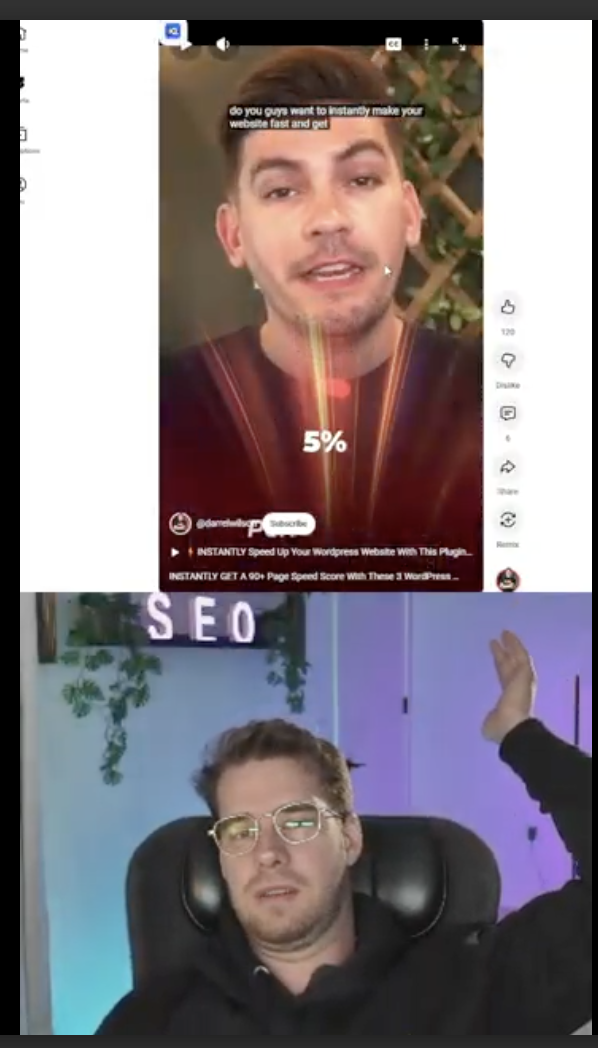
Top + bottom
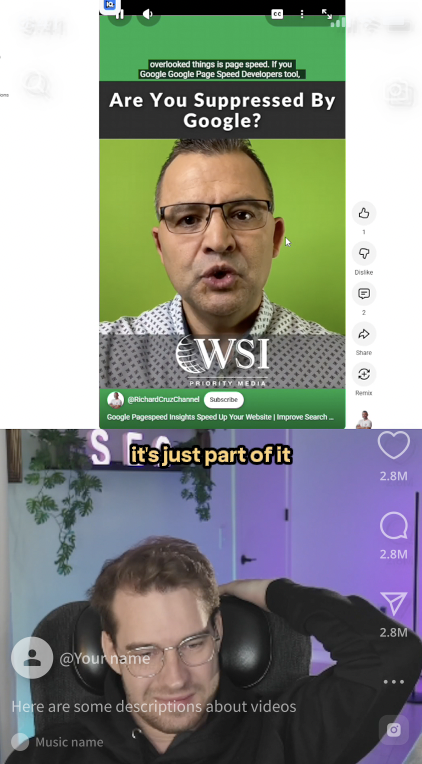
Top clear → Harry only
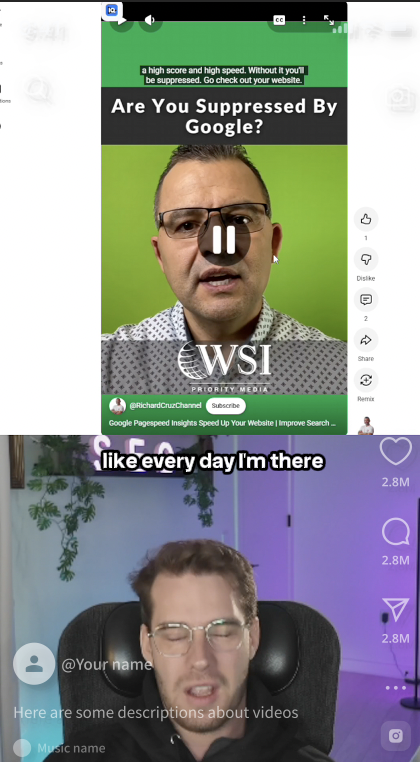
Harry solo (white)
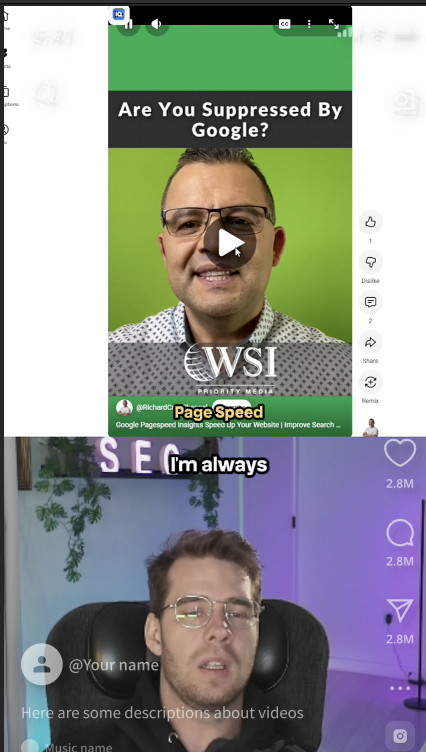
Top unclear → yellow added
4
Elevated Brand-heavy
VSLs, paid ads, brand assets — visually intricate, full brand identity
▾
Elevated Brand-heavy
VSLs, paid ads, brand assets — visually intricate, full brand identity
Use for
Video Sales Letters, paid ad creative, course / Hawk Academy launch assets, anything where the brand has to look its best. Not daily content — Elevated is reserved for hero pieces.
Creative liberty
Editor has more creative freedom here than the other styles — but everything must sit inside the brand guide. Use it as the boundary, not a checklist.
Overlay text
Branded title cards as needed — not a single fixed top-of-frame block like Standard. Cards sit on cuts, transitions, or dramatic beats. Stay on-brand (colours, fonts per brand guide).
Captions
Highlighted keyword captions — single keyword in brand cyan, rest in white with stroke. One word per beat highlighted, never more. Custom-styled, not native uploader blocks.
Colour grade
Enhance natural colours only. Not overly saturated. No filters — keep it clean and true-to-source.
Transitions & effects
Lean on the Editing Mini-Series recipes — whip transitions, masks, match cuts, lens covers. Use sparingly — one signature effect per ~30 seconds, never stacked.
B-roll
Premium b-roll only. Match motion at frame boundary. Avoid generic stock — lean on team-supplied footage and brand assets.
Audio
Music-led mix. Sound design moments (whoosh on transitions, ding on graphic reveals).
Brand identity
Reference
→ REV 2 VSL on Vimeo — use as the benchmark for Elevated-tier edits.